



















Why You Should Never Use A Physical Burger King Gift Card In The App
By Paul Rudoff on Feb. 10, 2026 at 2:30 PM in Public Service Articles
After years of sending feedback to Burger King's base-level (and useless) customer service, and posting it on this site back in 2020 and 2022, last month I finally found a way to get my feedback through to the appropriate party at Restaurant Brands International (RBI), parent company of Burger King. After e-mailing president Tom Curtis (tom@whopper.com), my message was forwarded to Preston Nix, the lead of the Royal Perks loyalty program in the restaurant's app.
To thank me for all of my feedback (I gathered up everything I originally sent to the "black hole" base-level customer service, and added new feedback), Preston sent me a Burger King fanny pack and $100 in gift cards (four physical $25 cards). I have been putting the gift cards to good use over the past few weeks, and as a result, I have learned why you should NEVER use a physical Burger King gift card in the app. Read on to find out more...
Ok, let's just quickly go through this as a numbered list, in no particular order.
1. CAN'T USE A PHYSICAL CARD ANYMORE ONCE THE CARD IS ADDED TO THE APP.
If you go to use the physical card at the register in restaurant, it will ALWAYS come up as "declined". I got one card down to a $1.34 balance, and wanted to use it up in the restaurant, and then pay the remainder of the order with another payment method. I could not do that today, or last week. Since I did not have this issue with the other three gift cards, only the one that I previously added to the app, that's when it occurred to me that adding it to the app DISABLED the physical card.
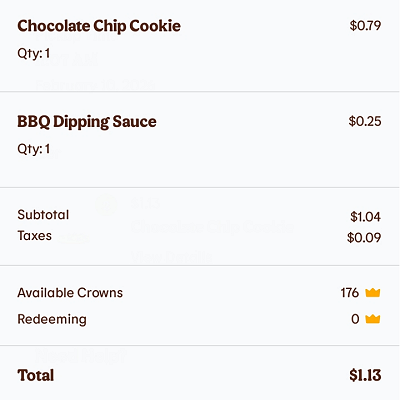
My only choice, if I didn't want the $1.34 to go to waste, was to buy the cheapest items on the menu that would get the order, with tax, as close to $1.34 as possible. I went with a $0.79 Chocolate Chip Cookie and a $0.25 BBQ Sauce packet. I swear that there was a time, not too long ago, when you could get TWO cookies for $0.99. Anyway, this order brought the card balance down to $0.21, where it will forever remain because...
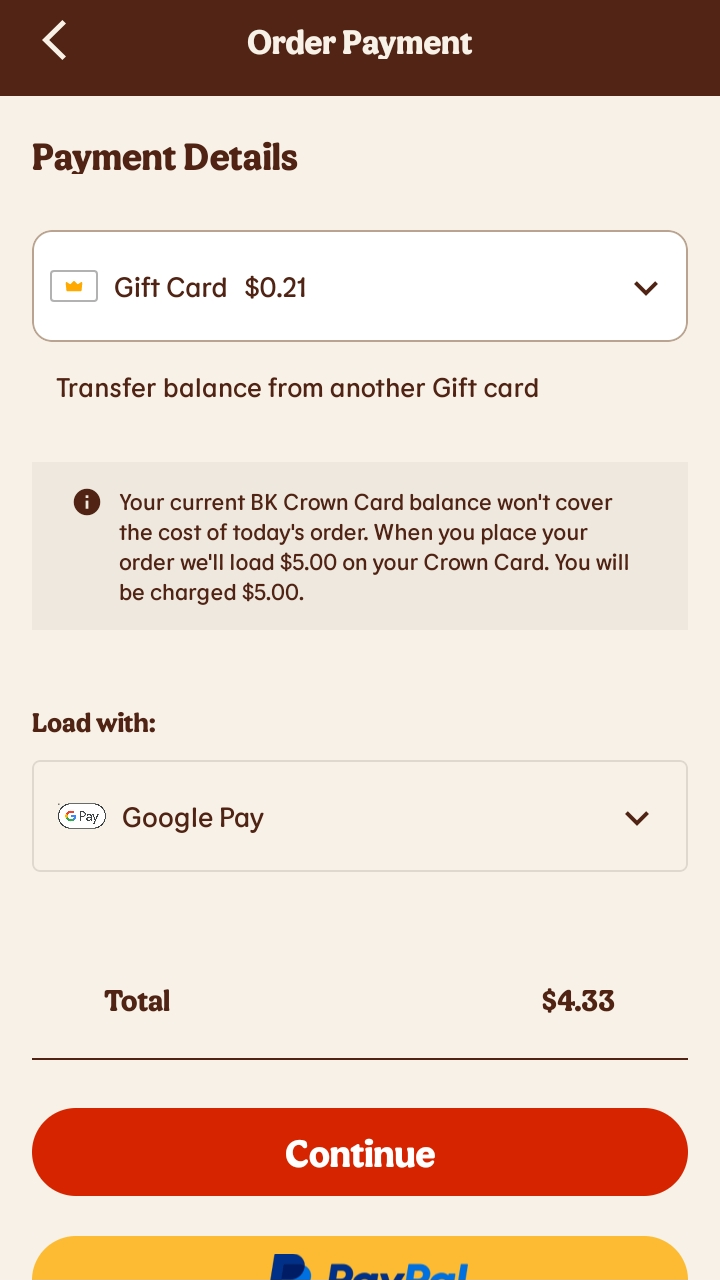
2. CAN'T USE UP THE GIFT CARD BALANCE, WON'T ALLOW ANOTHER PAYMENT METHOD TO COVER ORDER BALANCE, WILL BE FORCED TO KEEP ADDING $5 TO GIFT CARD BALANCE INSTEAD.
Oh, this behavior is really scummy on Burger King's part, and they are clearly doing it on purpose. If you place an order and the gift card balance is not enough to cover the order total, you can't pay the remainder with another payment method. Instead, Burger King will FORCE you to add A MIMIMUM OF FIVE DOLLARS onto the gift card!!! Let's say you are placing a $4.00 order, and have a $2.00 gift card balance. Instead of allowing you to pay the remaining $2.00 with a Mastercard, Burger King will FORCE you to use that same Mastercard to add $5.00 to the gift card balance! That is fucking insidious, and illegal, I'm sure. Your only choice would be to ignore the gift card and just use the Mastercard to pay for the ENTIRE order.
(click for full screenshot)
3. CAN'T REMOVE THE GIFT CARD, OR ANY PAYMENT METHODS, FROM THE APP.
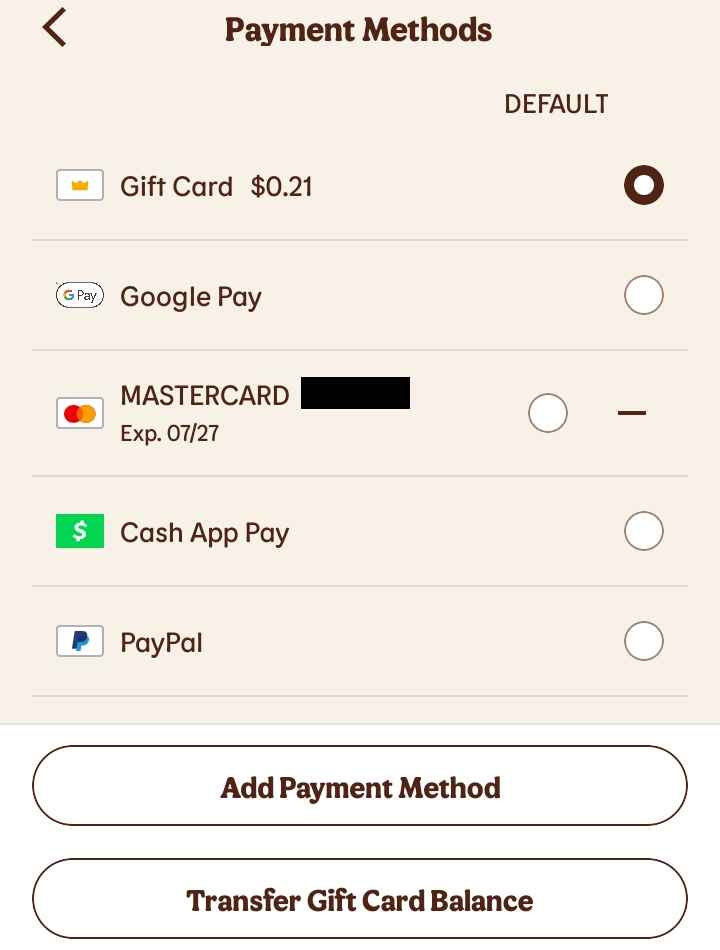
If you go into the app's "Payment Methods" section, you will see options for "Add Payment Method", "Transfer Gift Card Balance", and to set the default payment method. The one thing you will NOT see is a "REMOVE" option! That's a very important option to leave out.
Not only will this (potentially) lead to clutter if multiple credit/debit cards, or PayPal or other accounts are added, but you will have no way to get rid of that now digital-only gift card. Not that you should remove it and replace it with another gift card, because I've already detailed in #1 and #2 above, why you should NEVER add a gift card in the first place.
Oh, and unless you have a lot of low balance gift cards, and combining them will give you enough to cover a single order in the app, DO NOT USE THE "TRANSFER GIFT CARD BALANCE" OPTION. You will be terminating the other physical gift cards because their balances will be transferred to the now digital-only gift card balance. You would probably be better off using the multiple low balance gift cards one after another at the register in restaurant.
(click for full screenshot)
CHECK A GIFT CARD BALANCE
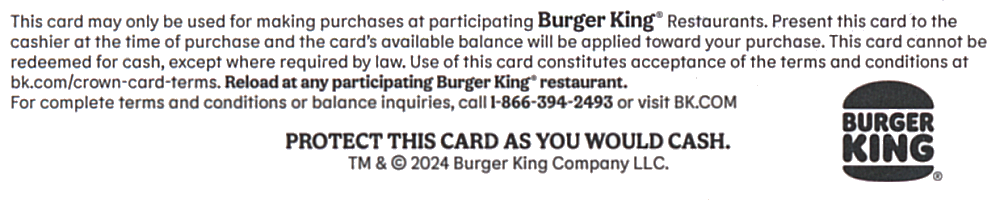
On the back of the card it states, "For complete terms and conditions or balance inquiries, call 1-866-394-2493 or visit BK.COM." As of February 10, 2026, calling that phone number just gives you a recording that says "Market Force" (embedded below), and then hangs up. So much for hearing the complete terms and conditions or checking your gift card balance.
However, going to BK.com and using the left-side menu does eventually bring you to the Check Balance page.
(click to enlarge)
In conclusion, I hope that by sharing what I learned from using a Burger King gift card in the Burger King app, you will avoid making the same mistake that I did. Just use the gift card in restaurant. You'll avoid all of the bullshit I detailed in this article :-)
No feedback yet
Leave a comment
| « Aetna Forces Members To Use Liberty Dental; Has So Many Restrictions It Barely Counts As Insurance | UPS Sends Import Fee Bill For eBay Item A Week After Delivery » |